Contractor home and scorecard
A contractor's daily view of what to do next and how they're tracking.
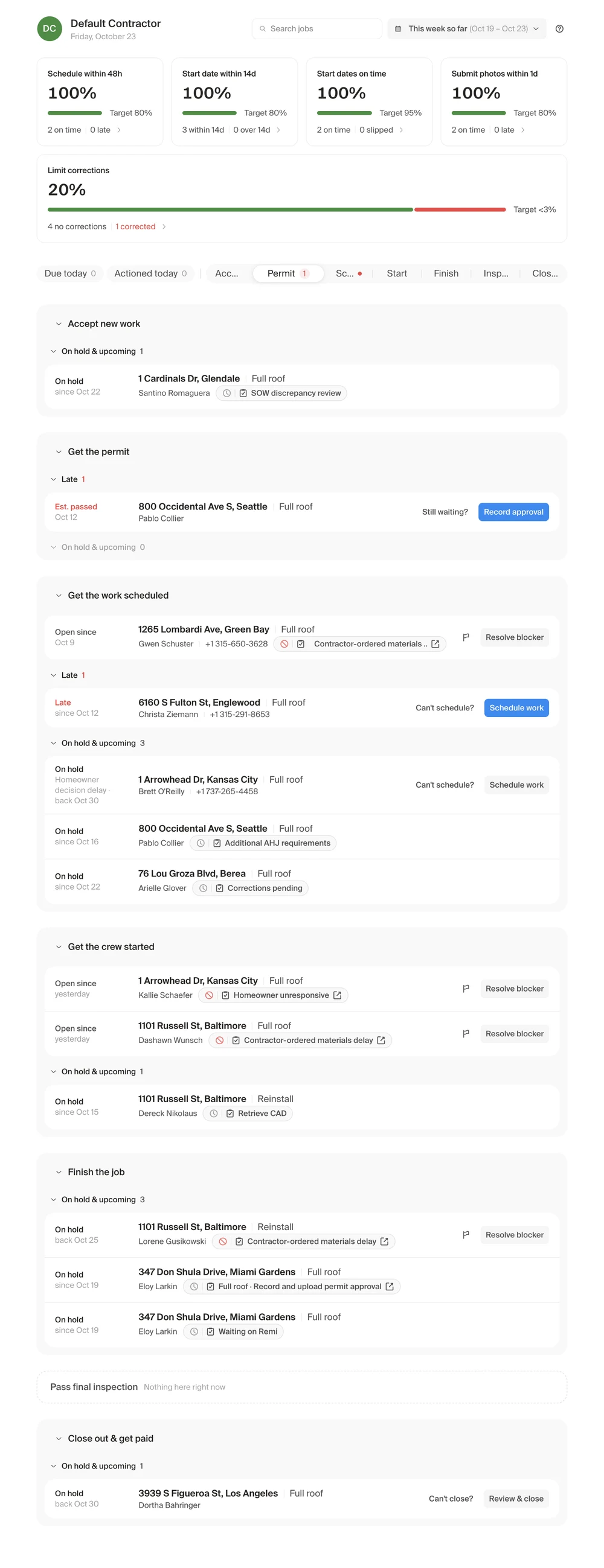
Every job that needs them, grouped by stage with late work first, under a scorecard that measures them against Remi's targets.
- Role
- Designed and built
- For
- Contractor admins, often working from their phones
- When
- Aug 2026–now
- Result
- 7 in 10 contractor companies use it; work started on the scheduled date went from about half of jobs to 7 in 10
The problem
We measured contractors and had clear expectations for them, but none of it was in front of them in the product. They never knew how they were doing, they often didn't send us updates, and that left our homeowners without information.
So we set out to show contractors exactly what we expect, make their day simpler, and see how their behavior changed.
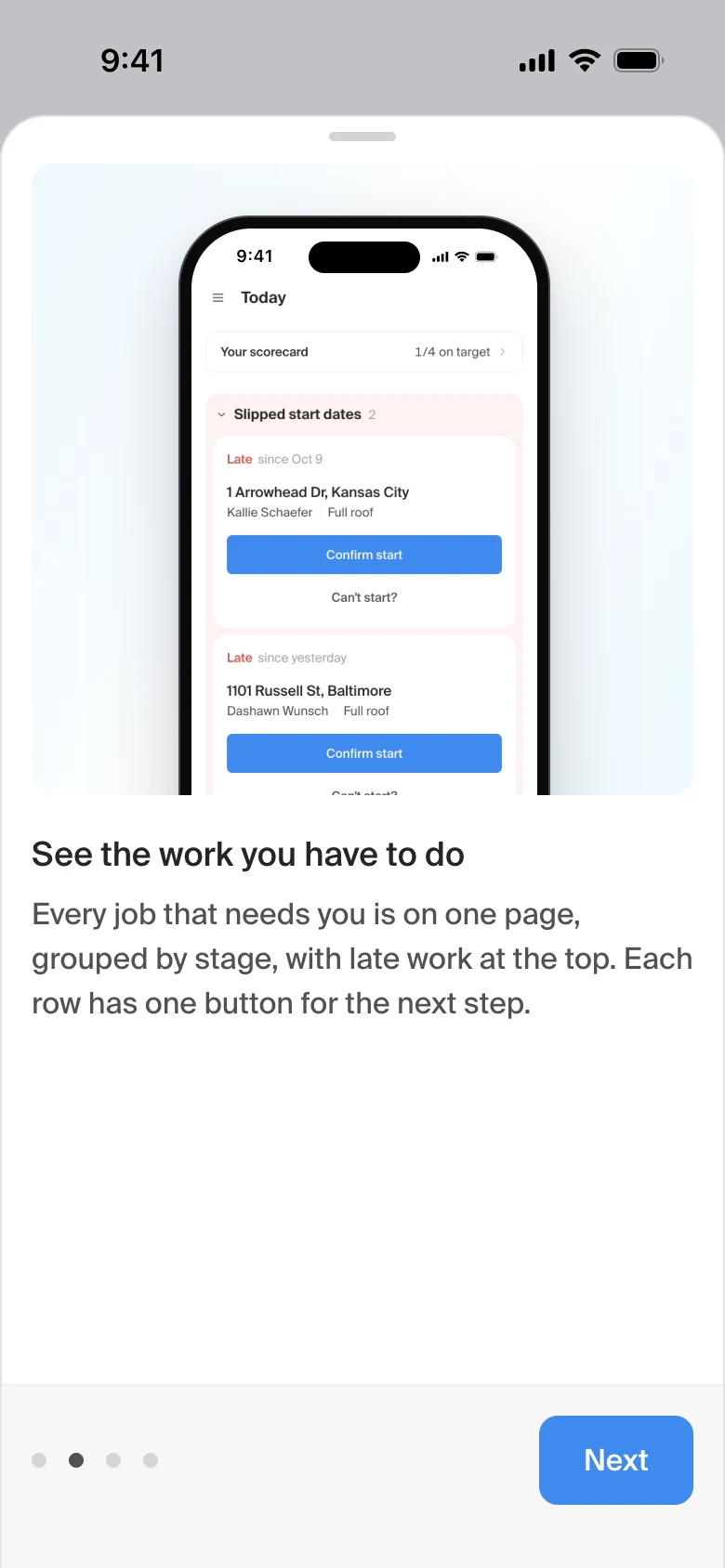
One page for every job
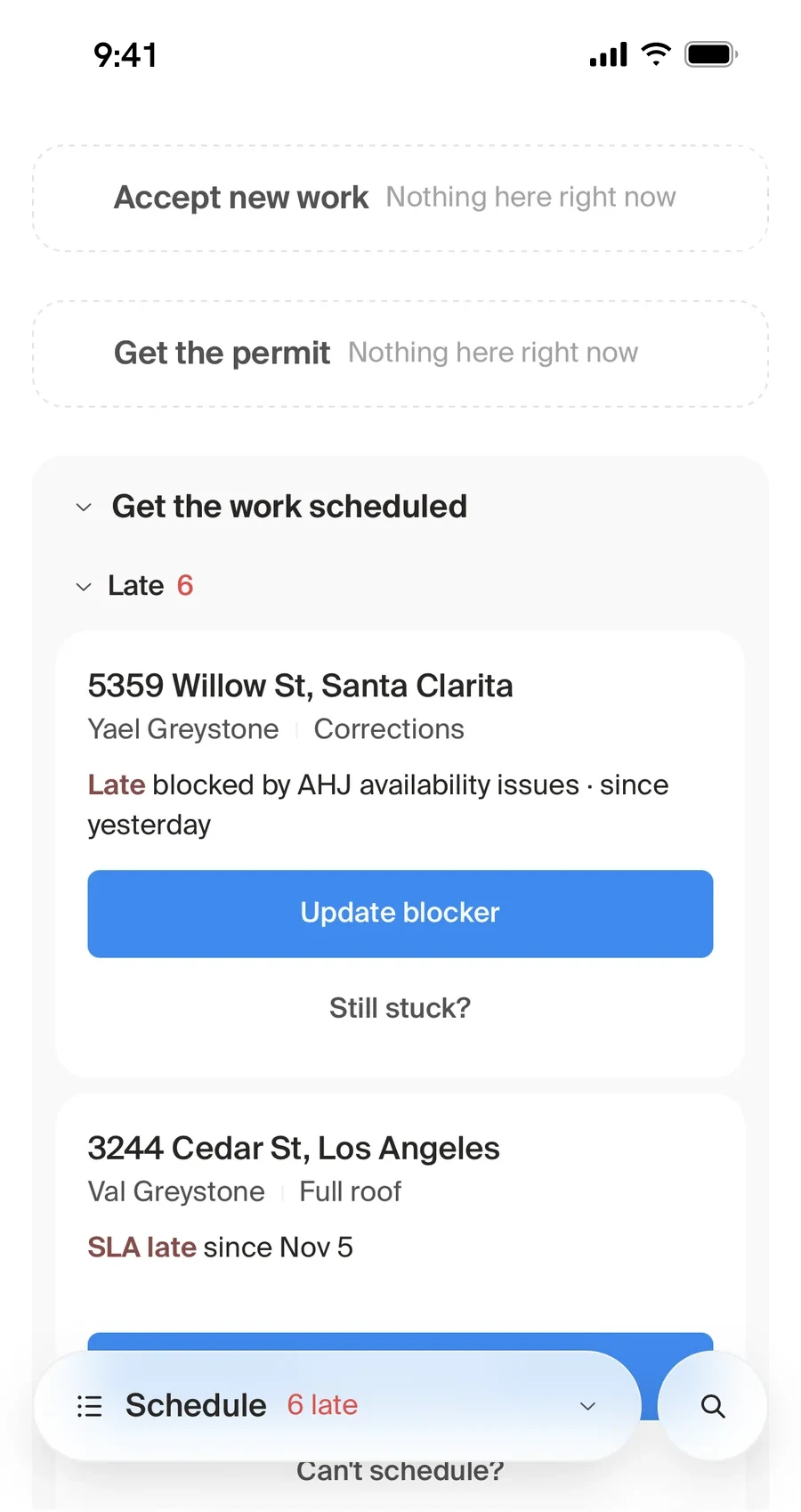
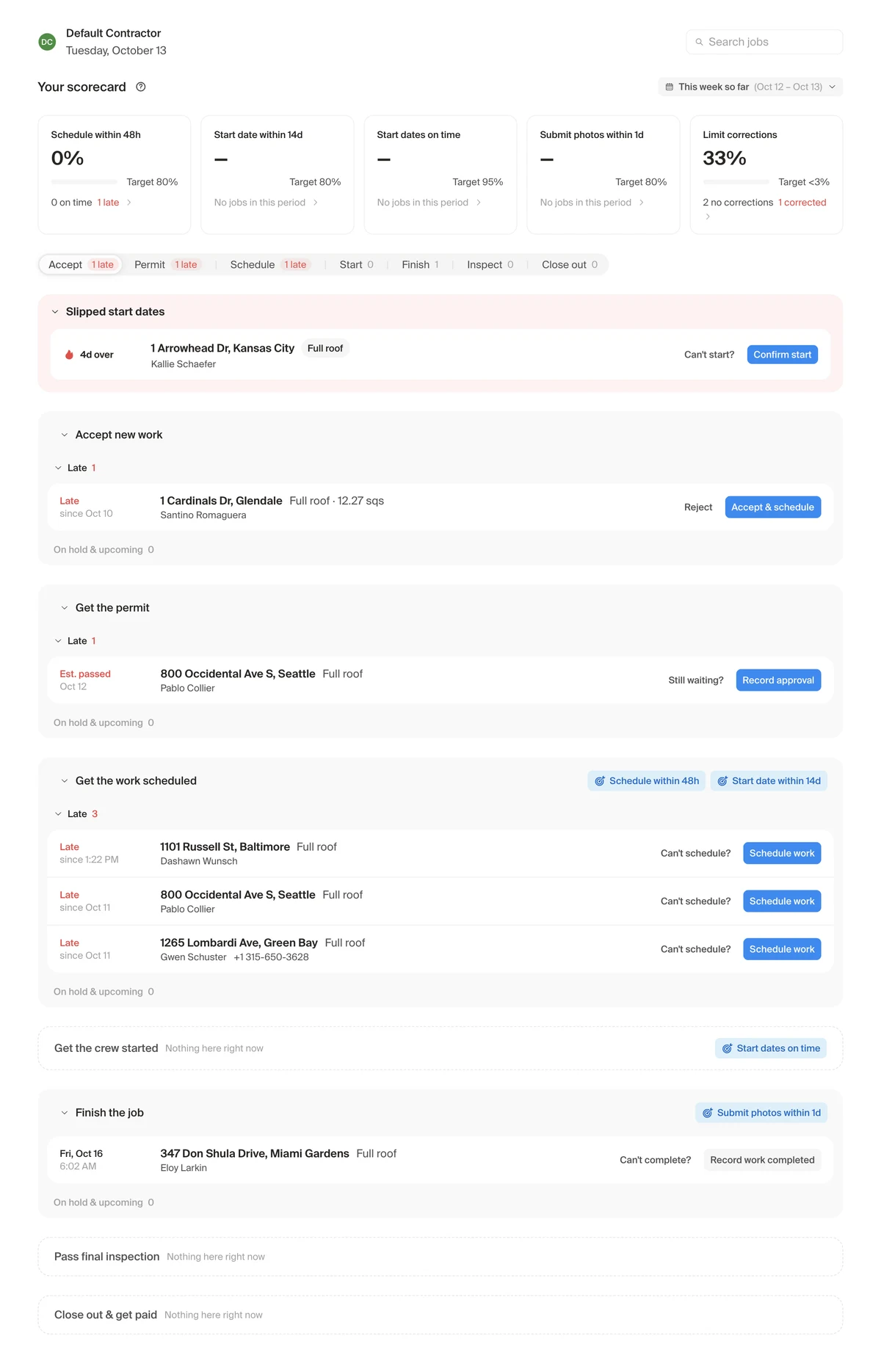
Jobs are grouped by stage, in the order the work happens, from accepting new work to getting paid. Late work rises to the top of each stage.
Each job has one button for its next step, so there's never a question about what to do.
The scorecard
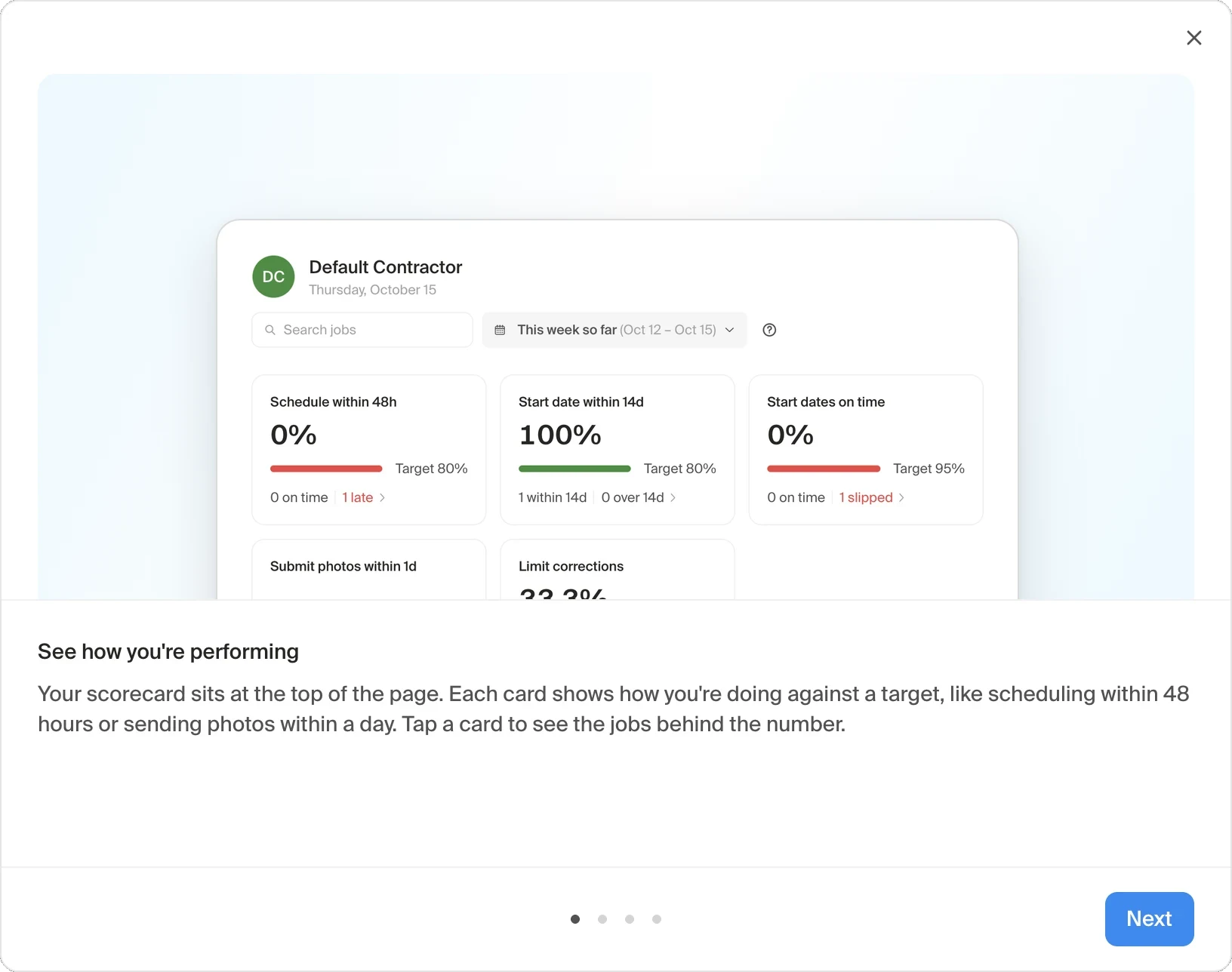
The scorecard sits at the top of the page and measures each contractor against the targets Remi holds them to: scheduling within 48 hours, a start date within 14 days, starting on time, sending photos within a day, and keeping corrections under 3%. Tap any card to see the jobs behind the number.
Saying why
my favorite part
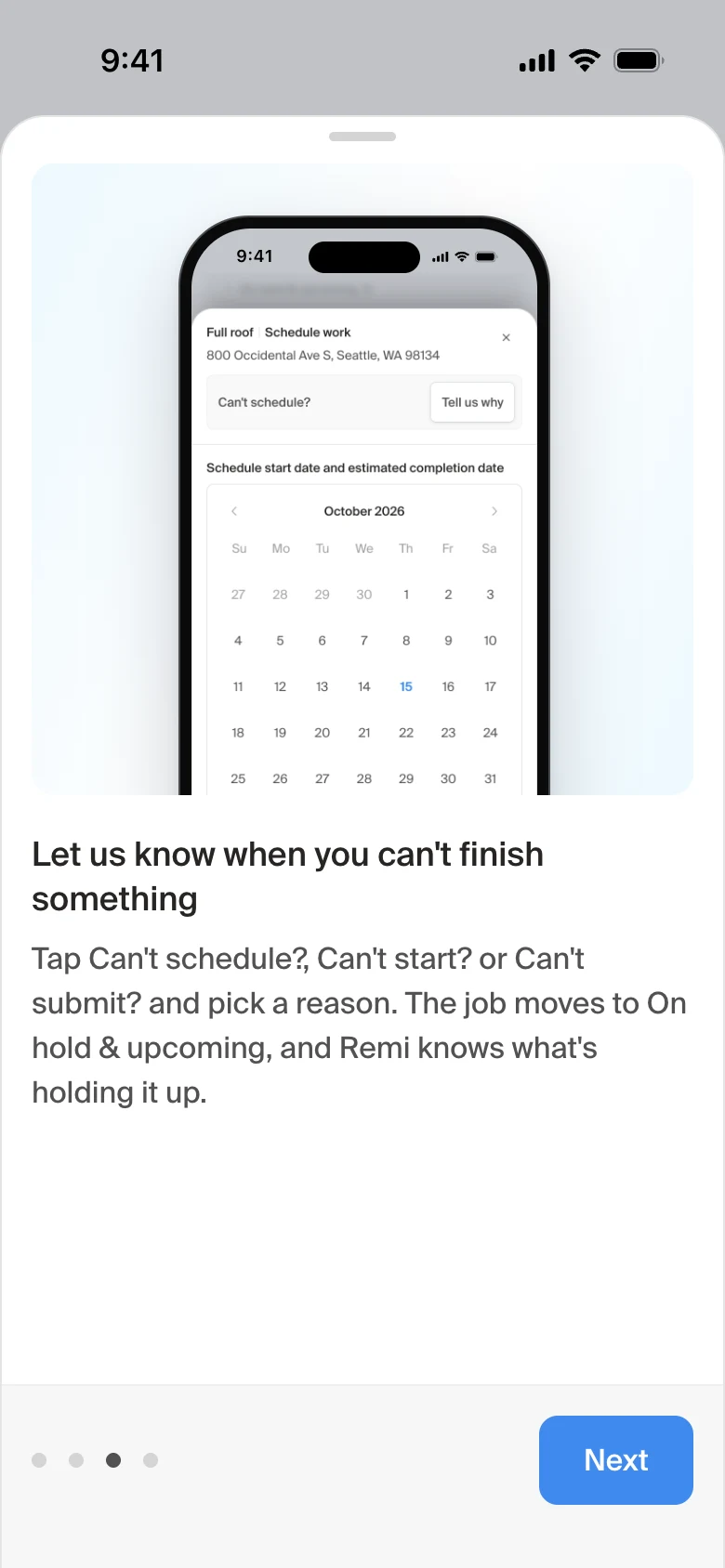
Next to each main action is a way to say it can't happen yet: Can't schedule? Can't start? Still waiting? The contractor picks a reason, the job moves to On hold and upcoming, and Remi knows what's holding it up.
That reason lets Remi, the homeowner and the partner all understand why a job is held up. Across all our jobs, it has also shown us the recurring choke points in the business.
How it evolved
At first we focused too much on the metric and not enough on the work to be done. Contractors could see their score but didn't know what to do to move it.
So we put the work itself on the screen. Then they needed an easy way to find any job, without being distracted by the ones they couldn't act on yet. That's where the nested trays came in: what needs action stays up front, and everything else is tucked away. Search still brings up any job.
Onboarding
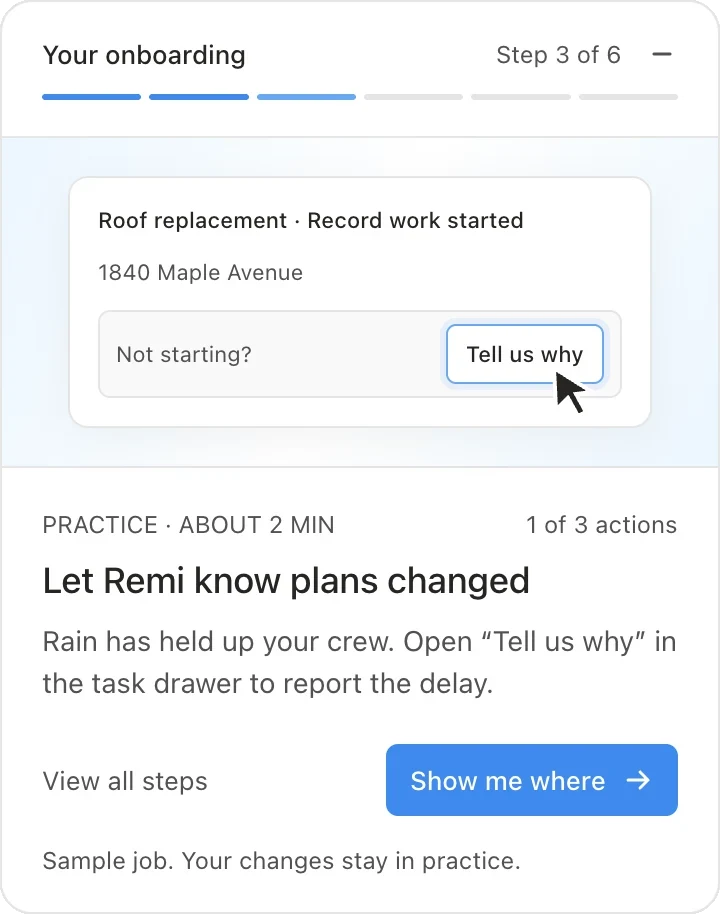
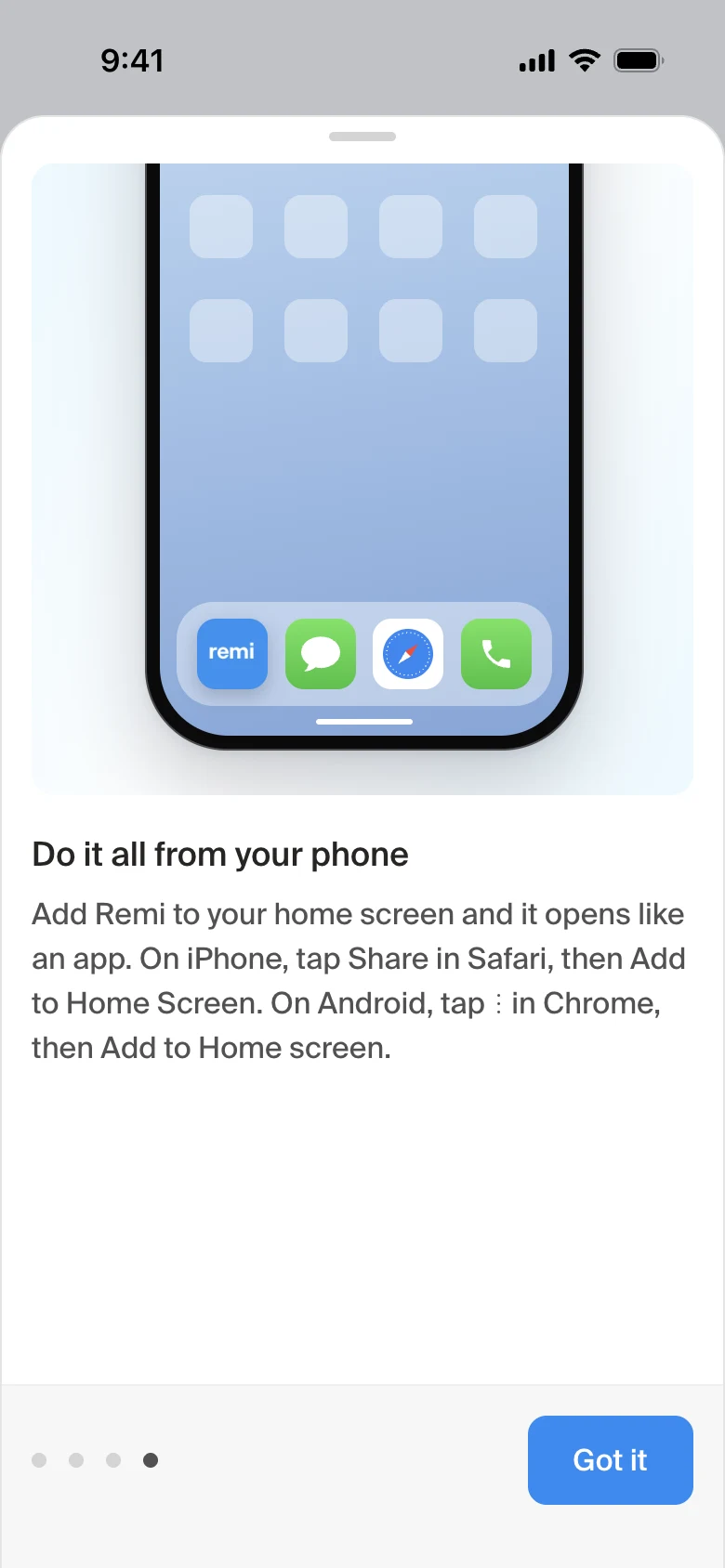
New contractors get a short tour, then practice on a sample job: a crew can't start in the rain, so tell Remi why. Their changes stay in practice. The last step shows them how to add Remi to their home screen, since most of them run it from their phones.
What happened
7 in 10
contractor companies opened it in the last 30 days
~190
contractors use it every week, steady since mid-October
Over half
of the first big group come back every week
1 in 10
contractor tasks are now completed right from this page
Before launch vs. now
- 4 weeks before launch
- Last 4 weeks
- Target
Work marked started on the scheduled date
Work scheduled within 48 hours
| Target | Before | Now | Goal |
|---|---|---|---|
| Work marked started on the scheduled date | ~50% | ~70% | 95% |
| Work scheduled within 48 hours | ~55% | ~63% | 80% |
- It went out to most contractors the week of September 21, and they kept using it.
- The biggest change was starting work on the scheduled date: the share of jobs marked started on the set day went from about half to about 7 in 10, and the jump lines up with launch week. Scheduling within 48 hours rose from about 55% to 63%, and the other targets held steady.
- The grades themselves haven't shifted yet. The on-time start target is 95%, so nearly every crew still misses it, which means the letter grade can't show the progress the dashboard is driving.
- Then we checked whether the lowest-graded crews were simply not looking. They were looking: half of our C crews open the dashboard on most days, about the same rate as our A crews. Seeing the score wasn't the problem. That told us visibility alone won't change behavior, and that what keeps most crews at a C is a few specific habits, like getting photos in within a day.
What I'd do next
Bring down contractor-caused escalations. They haven't dropped yet, and they're the next number we're aiming the dashboard at, since they're where missing updates hurt homeowners most.
Tie the grade to something crews feel, like how much work they get, since seeing their score isn't enough on its own.
Rework how the grade is weighted, with a stepped on-time start target and less weight on photos, so it reflects the progress crews are making instead of costing almost everyone a miss.
Coach crews on the specific misses behind their grade, not on how to find the dashboard.
Add SLA logic that stops and restarts the clock when a job is blocked, so a hold-up a contractor can't control doesn't count against them.
Improve the UI for our larger task types so they're easier to complete.
Go even more mobile: let contractors text us updates and have an agent match that unstructured info to the right project and task, or offer a voice companion they can talk to on the go.