Eden
An AI workspace that keeps account managers' job sites up to date.
Eden reads what's happening on each job, suggests the next step with the evidence behind it, and lets account managers approve it in seconds.
- Role
- Designed and built the agent-first design system and Eve's harness; directed the suggested-action experience
- For
- Account managers responsible for hundreds of job sites each
- When
- Sep 2026–now
- Result
- About 400 actions suggested: 200 taken by agents on their own, 170 of the other 200 approved
The problem
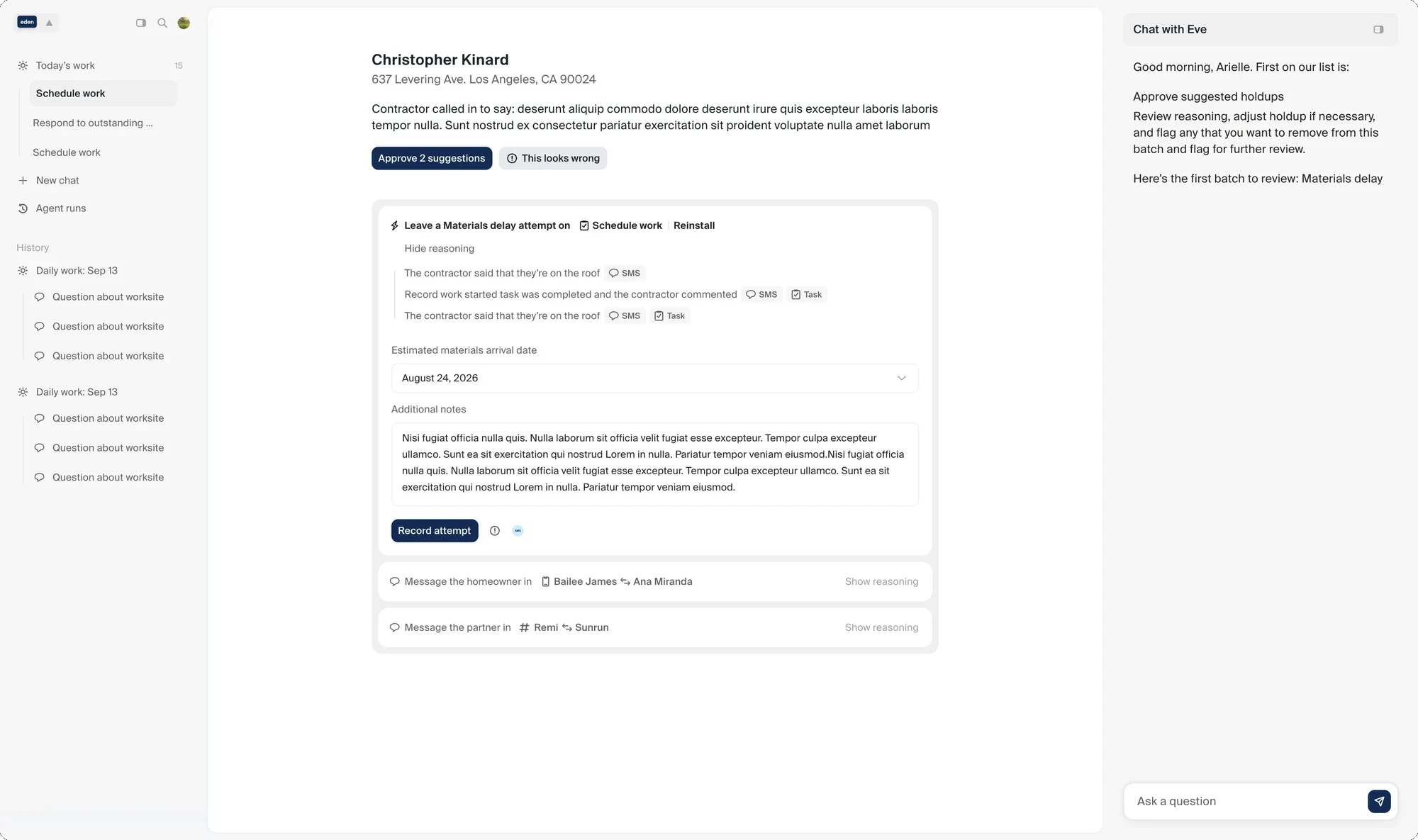
Each account manager at Remi looks after hundreds of job sites, and every one of them involves a homeowner, a contractor and often an enterprise partner. Keeping tasks current meant reading through texts and call notes and updating them one by one. Nobody can do that well at that volume.
What Eden does
Our agent, Graybox, reads the structured and unstructured data in our CRM and decides what should happen next on each task: log an attempt, complete it, schedule a follow-up, add notes. Every suggestion comes with the evidence it used.
Approving one action can start the next. Eden drafts and sends the follow-up message, updates a related project, or puts something on hold, so the whole job stays current.
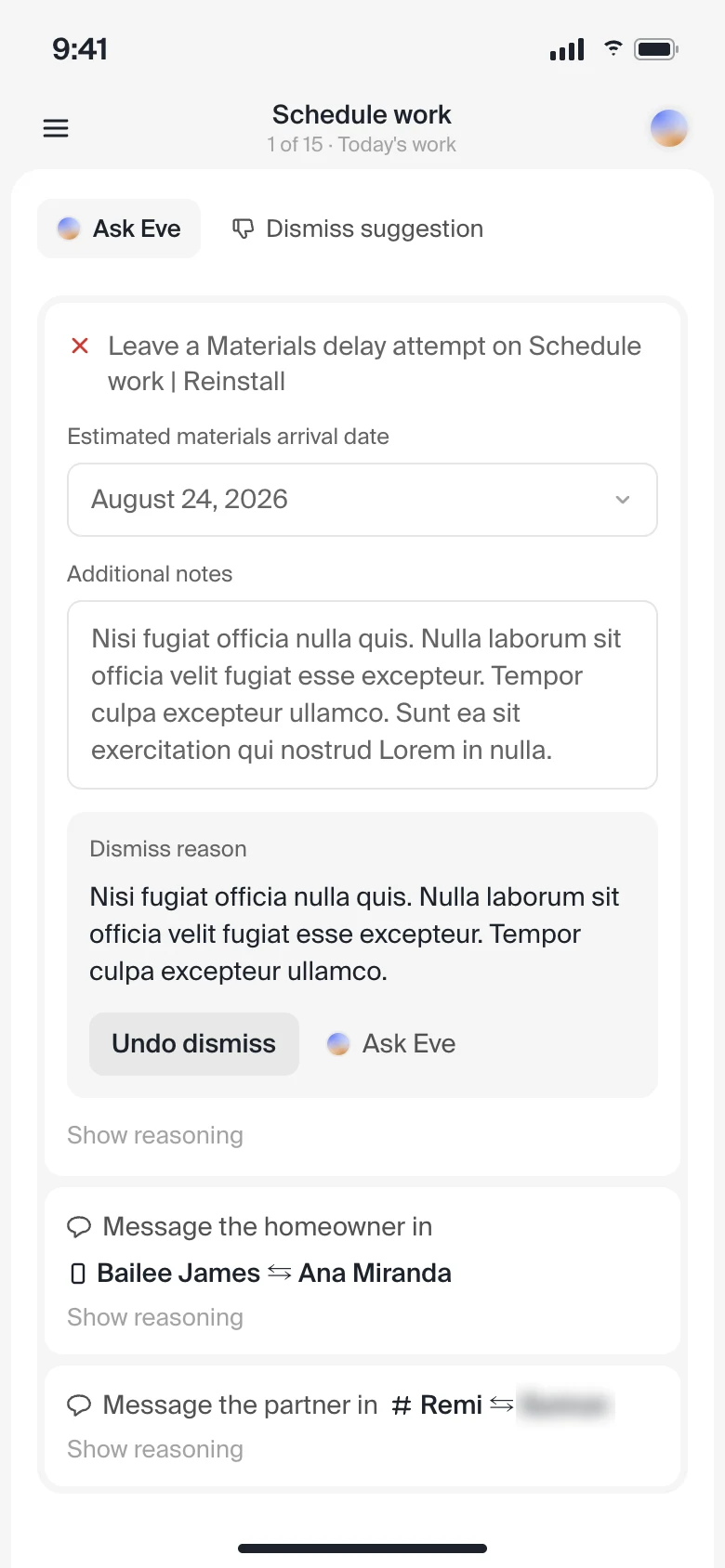
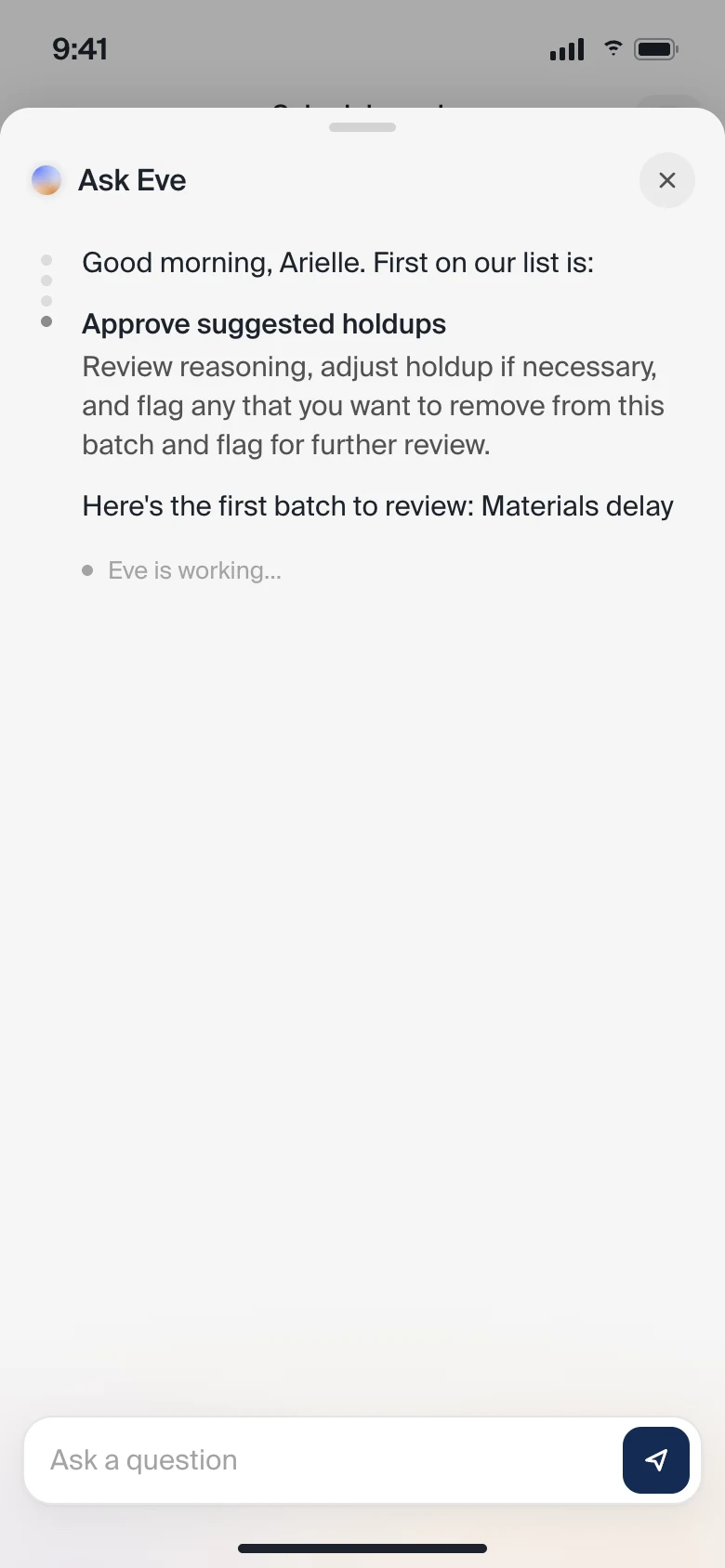
Eve, a copilot inside Eden, answers questions about any job, adds context, and drafts messages.
Eve
I built Eve's harness: its prompts, tools and guardrails, and the interactions around it. To keep it improving, I had an agent build an evaluation tool modeled on our existing one and on industry practice. It stores golden examples, has Eve grade itself against them, and collects feedback from the people using it.
Showing the evidence
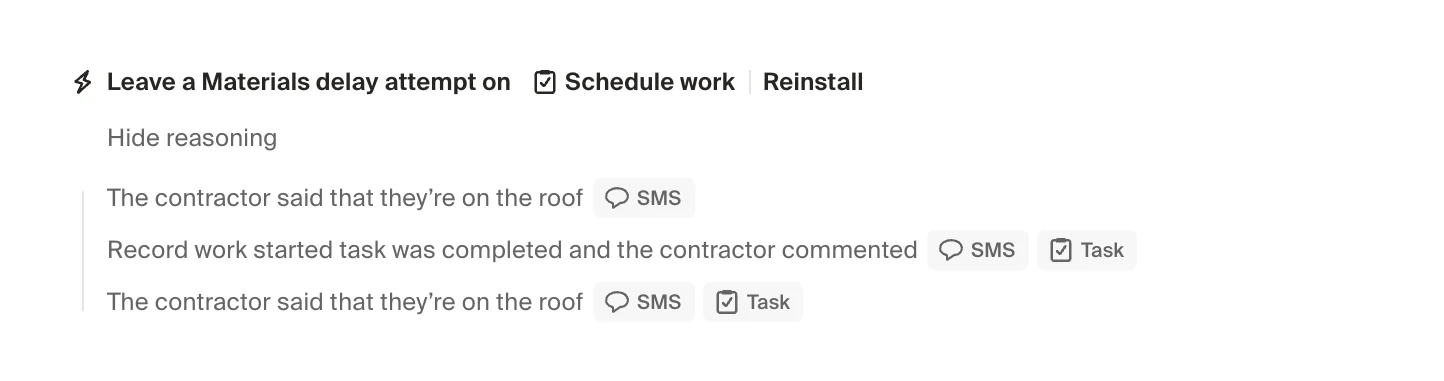
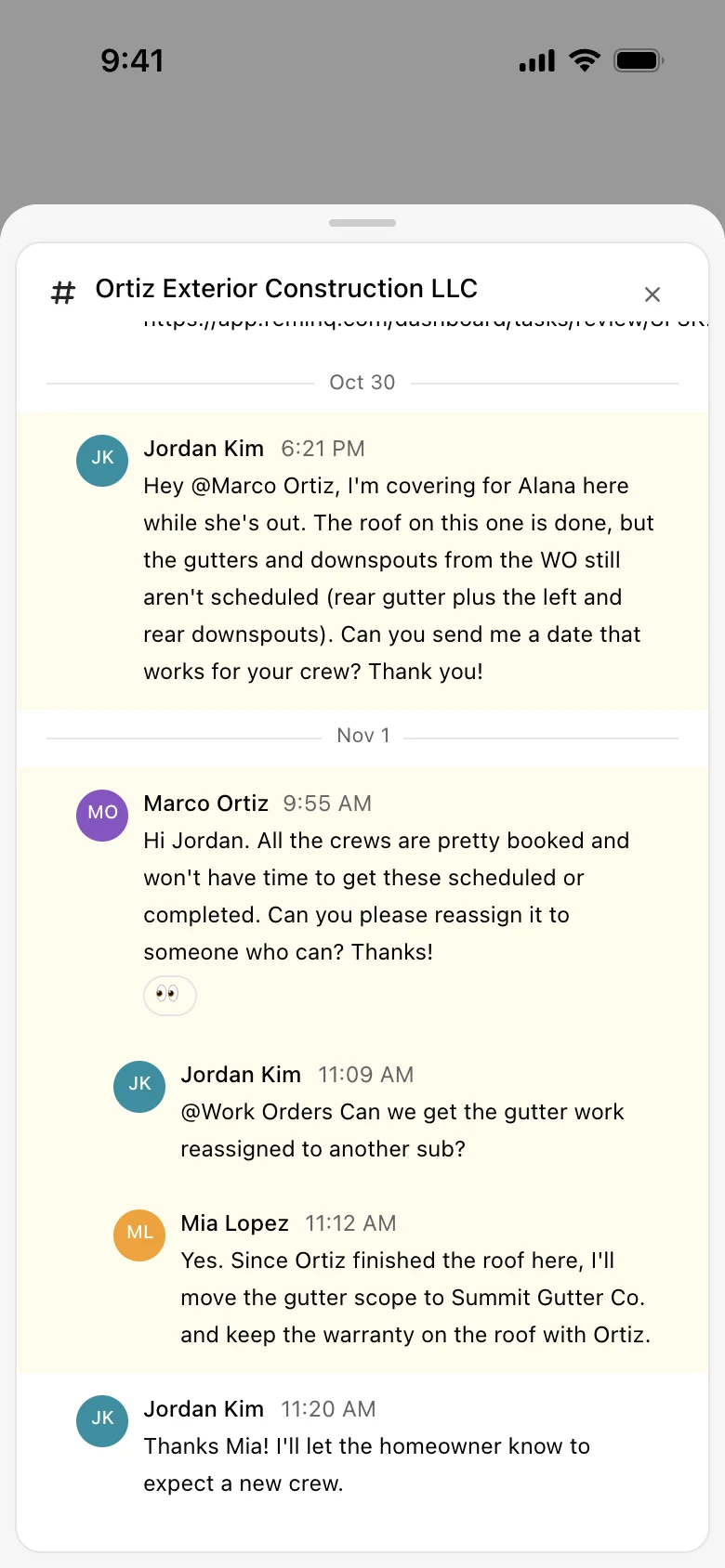
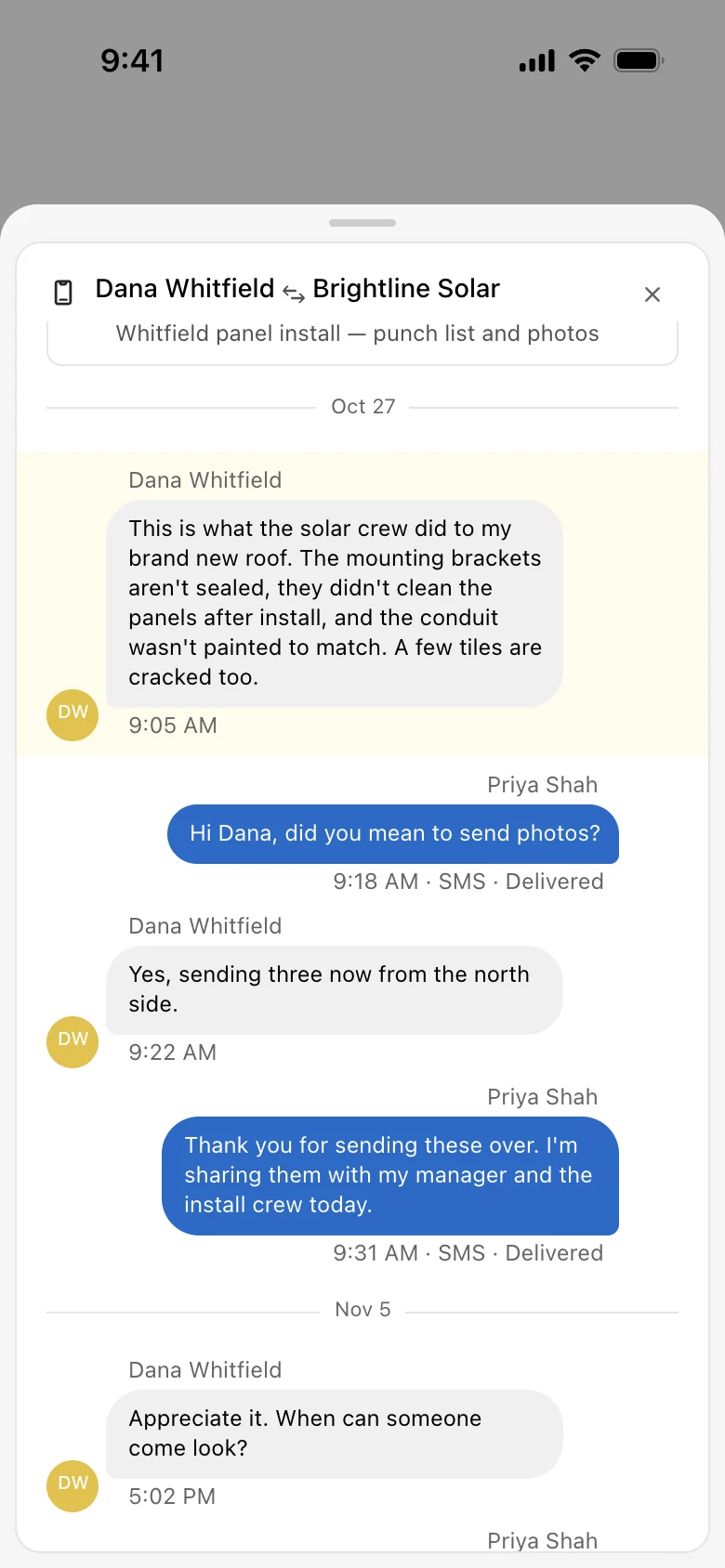
Account managers only step in when the agent isn't confident enough to act on its own, and then they need to check the suggestion before approving it. Each one lists its reasoning, and every line cites the message, task or field it came from. Clicking a citation opens the source in a view they already know.
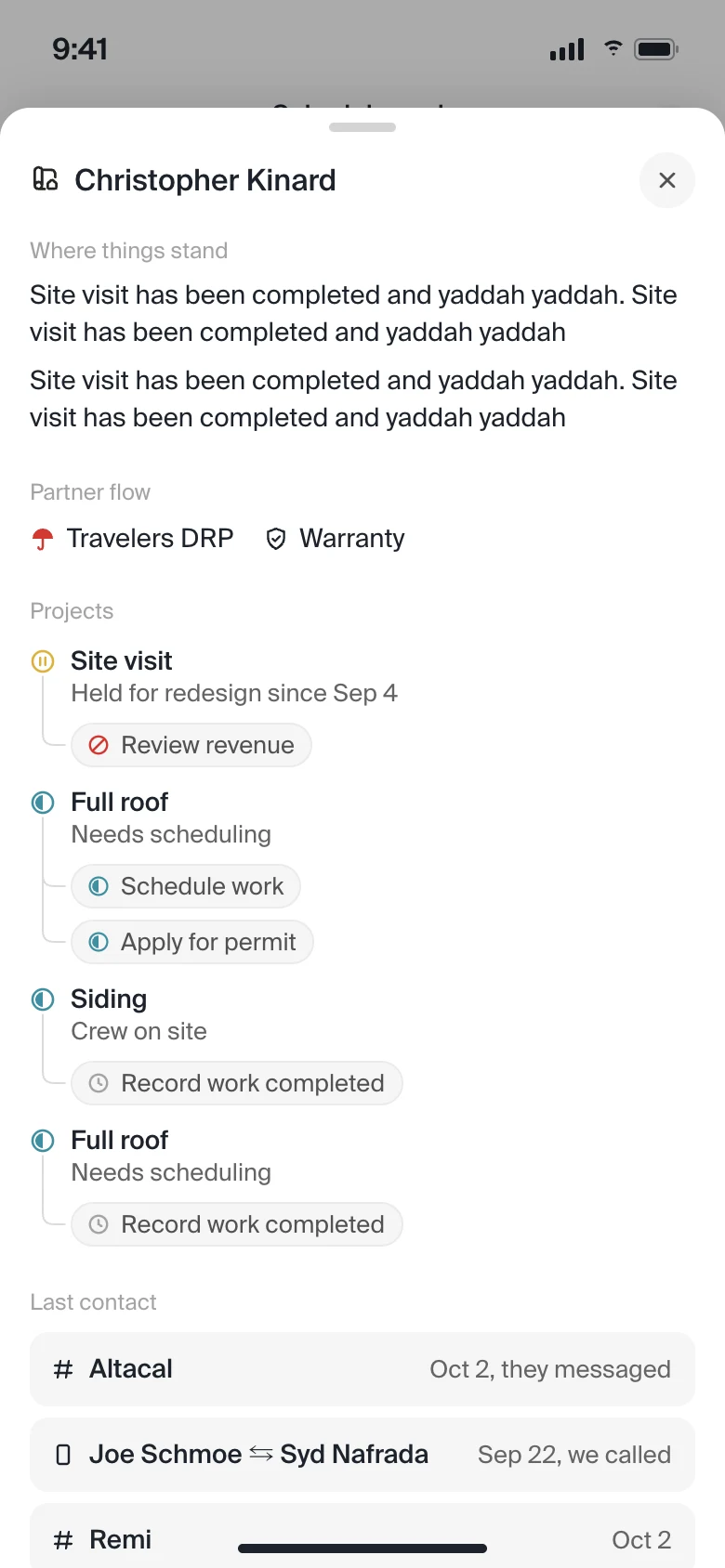
An overview panel shows the state of the whole job site at a glance, and Eve is there for anything the evidence doesn't answer.
How much the agent decides
How much an account manager has to review depends on how sure the agent is. At 95% confidence and above, Graybox takes the action itself. Between 85% and 95%, actions go to a bulk review. Below 85%, each one is approved individually.
We set the bar high on purpose and worked to bring the agent up to it. Drag the slider to see where an action lands.
Suggested action, sample data
Log an attempt: called the homeowner about the roof inspection, no answer
- Call log, Tue 10:42
- Task: schedule inspection
Below 85%
Reviewed one by one
The account manager opens the action, checks the evidence, and approves or edits it.
85–95%
Approved in bulk
The action is read once, then approved across every job site it applies to.
95% and up
Done by the agent
Graybox takes the action itself and logs it with its evidence.
What didn't work
Our first bulk review was a large table with a lot of context on every row. Account managers still went through it job site by job site. The extra context made them check more, not less.
So we changed what they review. Instead of one row per job site, they now read the action once, written like an email template, see the list of job sites it applies to, and approve them all together. Reviewing became one decision instead of dozens.
The design system
The agent assembles Eden's interface from blocks in an agent-first design system I built, so the UI is generated, not pre-drawn. Early on it picked the wrong blocks, so we added registry rules that map situations to components (when taking this action, use this block; when these words appear, show that one) and simple layout grids for it to fill. It's well above a blank slate, and we're still iterating.
More on the system itself in the design harness case study.
What happened
- Eden has suggested about 400 actions so far. Agents took about 200 of them on their own.
- Account managers reviewed the other 200: they approved 170 and dismissed 30.
- Graybox's accuracy went from about 50% to 85% and is still climbing.
- Decisions are quick. Since launch, the median time from a suggestion appearing to an account manager approving or dismissing it is 51 seconds, and a straight approval takes about 33.
- Dismissing takes about five times longer than approving (a median of 2.7 minutes), which tells us the reason to say no isn't as obvious on the card as the reason to say yes.
What I'd do next
Make the case for dismissing as clear on the card as the case for approving, so saying no is as fast as saying yes.
Calibrate the confidence thresholds with real data, by action type and risk, instead of one bar for everything.
Bring Eden to the other teams who coordinate job sites.