Escalation Hub
One place to work every escalated job site through to resolution.
When a job site goes wrong, the Escalation Hub gives the resolutions team one place to see what happened, who it's waiting on and how long they have to fix it. I built the first version and now lead the strategy for the next one.
- Role
- Built the first version; product strategy for the next
- For
- Remi's resolutions team and account managers
- When
- May–Jul 2026, first version built in May
- Focus
- What counts as an escalation, who owns it and when it's done
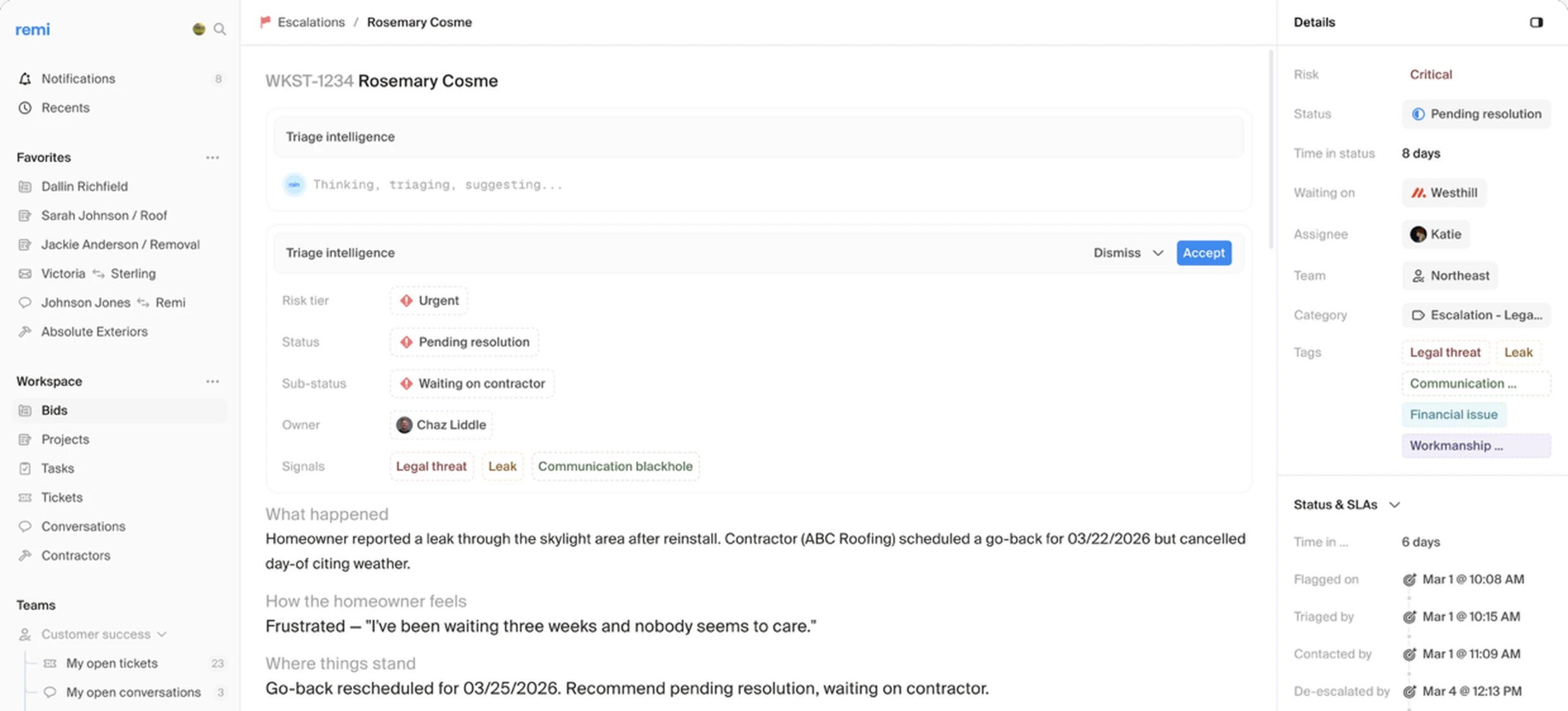
When a job site is escalated
An agent reads every homeowner message and scores the job site as Healthy, Watch, At Risk or Critical. At Risk and Critical sites are flagged as escalations. Once resolutions takes one on, it gets an owner and a red banner on the job, so everyone who opens it knows, and resolutions handles every conversation with the homeowner from then on.
Everything you need, in one place
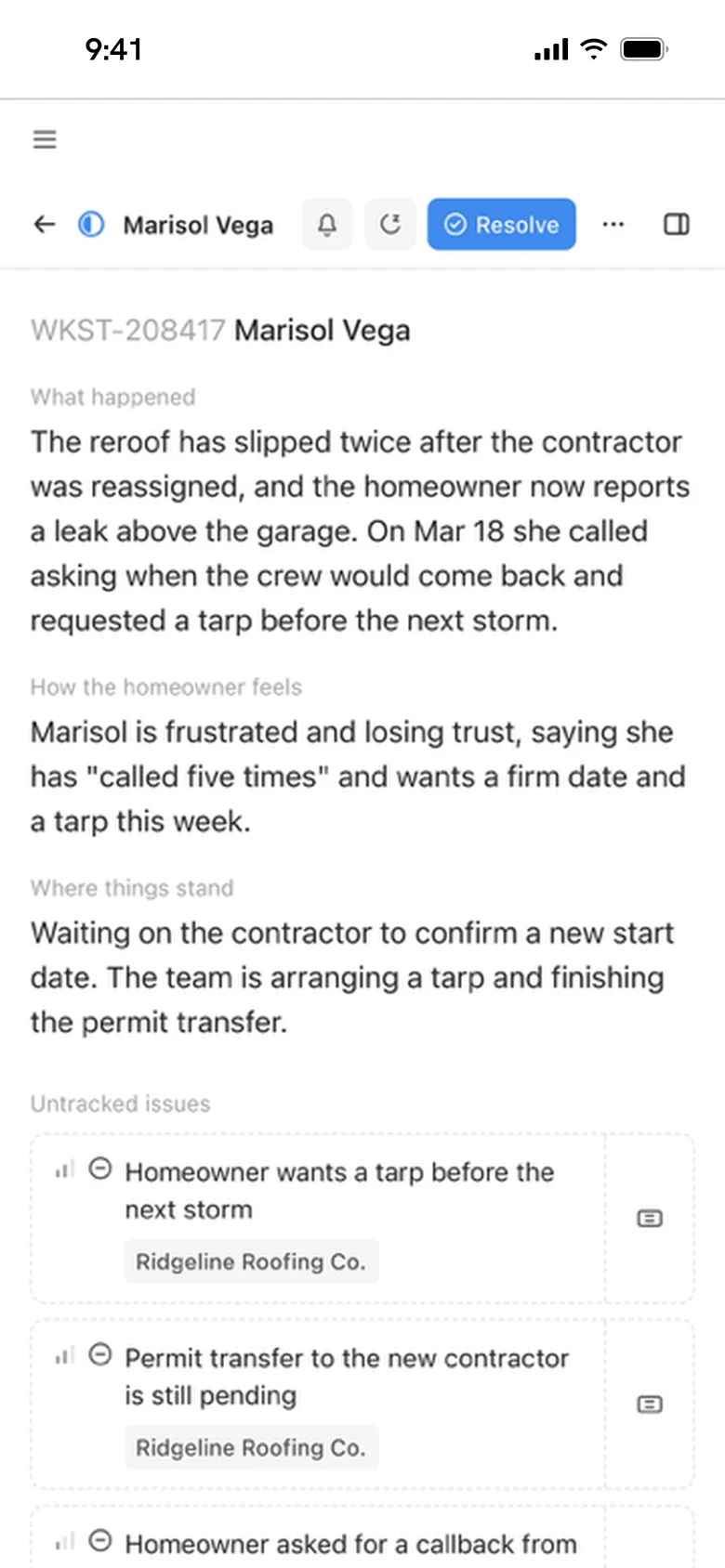
Each case opens with a summary the agent writes and keeps current: what happened, how the homeowner feels, where things stand, any open issues nobody has picked up yet, and a timeline of the job. Below that sit the related tickets, tasks and conversations with the homeowner, contractor and partner, so nobody has to piece the story together from other tools.
Always clear who's up next
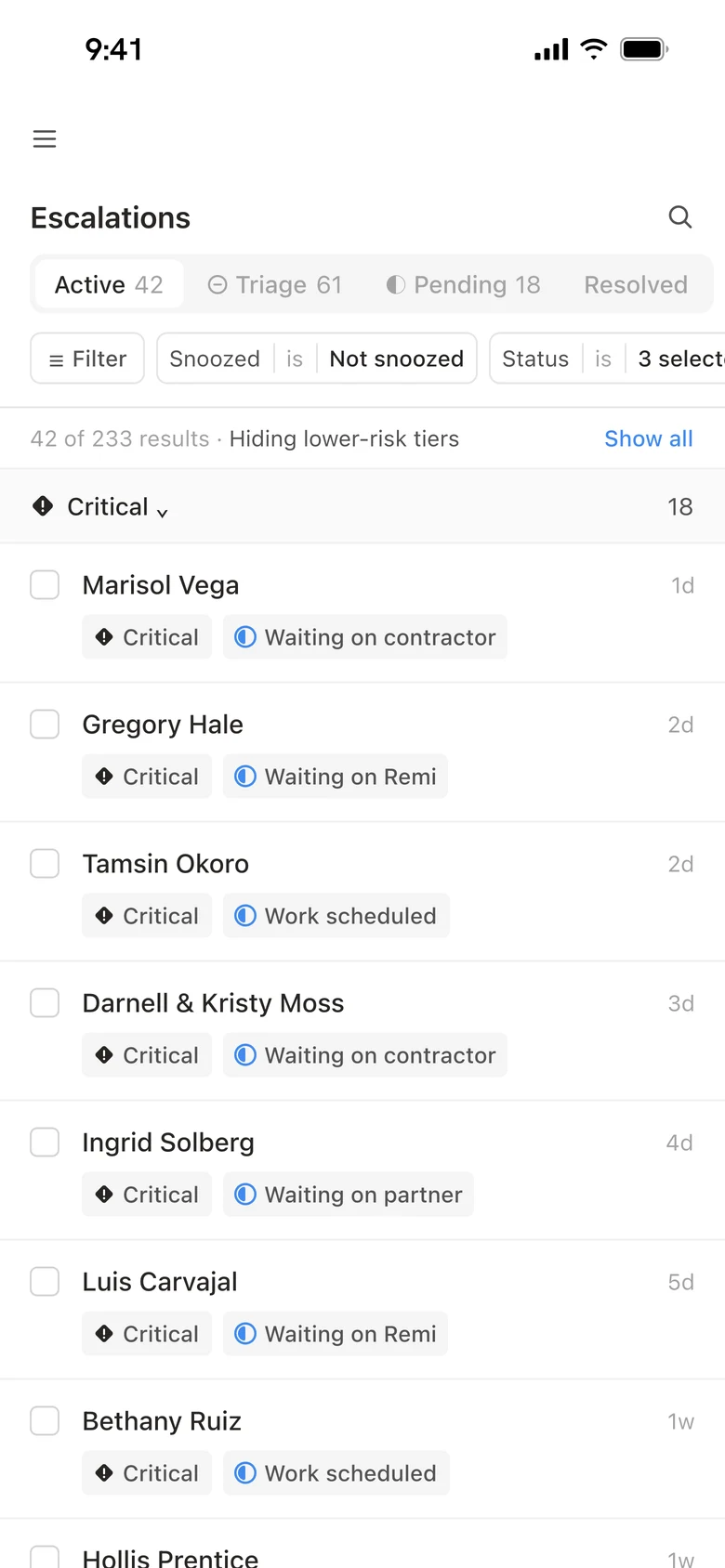
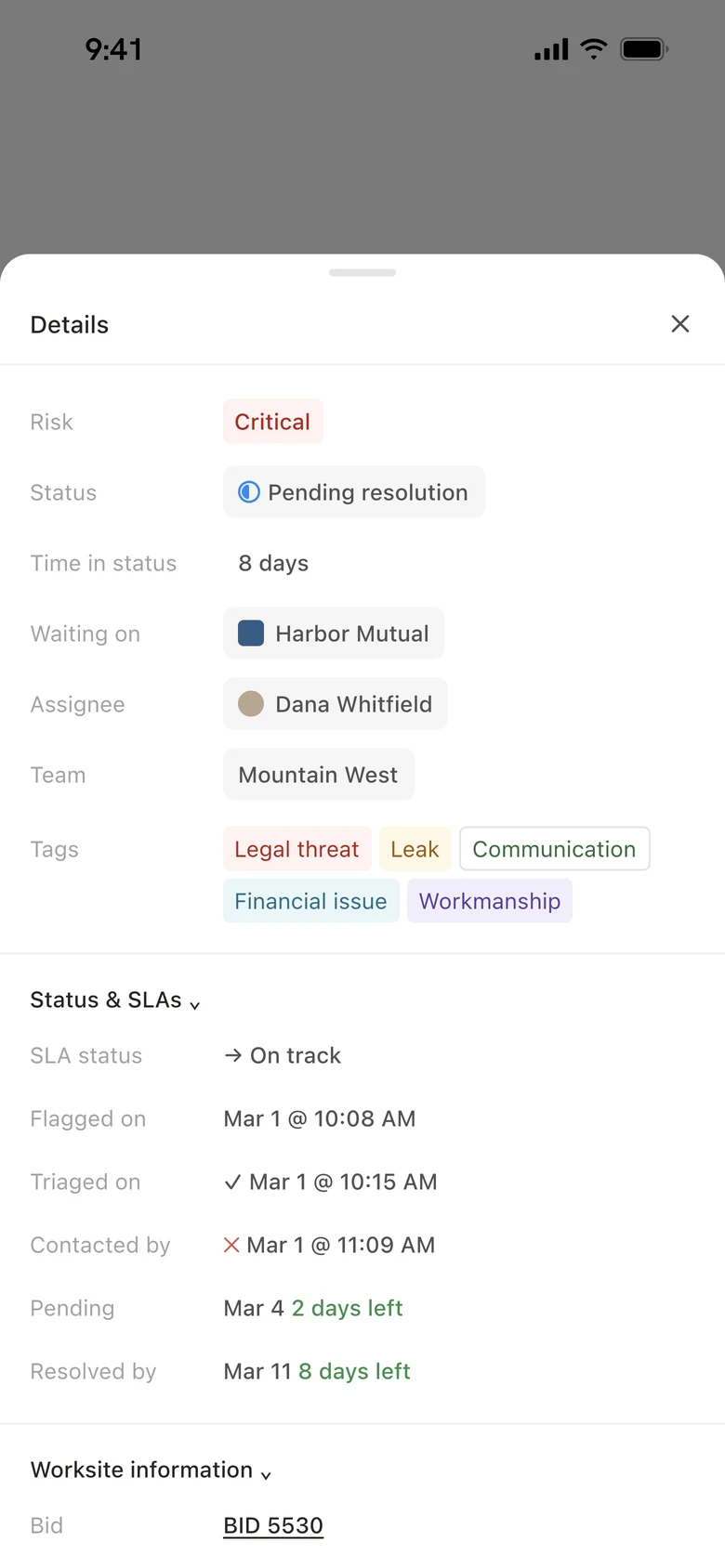
Every case shows who it's waiting on, whether that's the contractor, the partner or Remi, or that the work is scheduled. Each stage has a deadline that counts down on the case, and the queue puts Critical cases first, so the team knows what to chase today.
A signed waiver closes a case for good. A corrections project closes it but keeps watching, and if the problem comes back it's escalated again right away.
Where it still falls short
At first, a lot of what the agent flagged wasn't getting picked up. So we refined the agent and pinned down what At Risk and Critical really mean, so that it flags the job sites that are actually escalated. We also built feedback loops, so the agent learns from every accept and dismiss instead of flagging the same kinds of cases that kept getting rejected.
What happened
- Every escalated job site has one owner, one up-to-date summary and a clear deadline.
- Feedback loops so the agent learns from every accept and dismiss.
What I'd do next
I'm shaping the next version, so a flagged job site reaches its owner with fewer hand-offs and gets resolved sooner.